
timeSlice
Automate work logging and generate AI reports
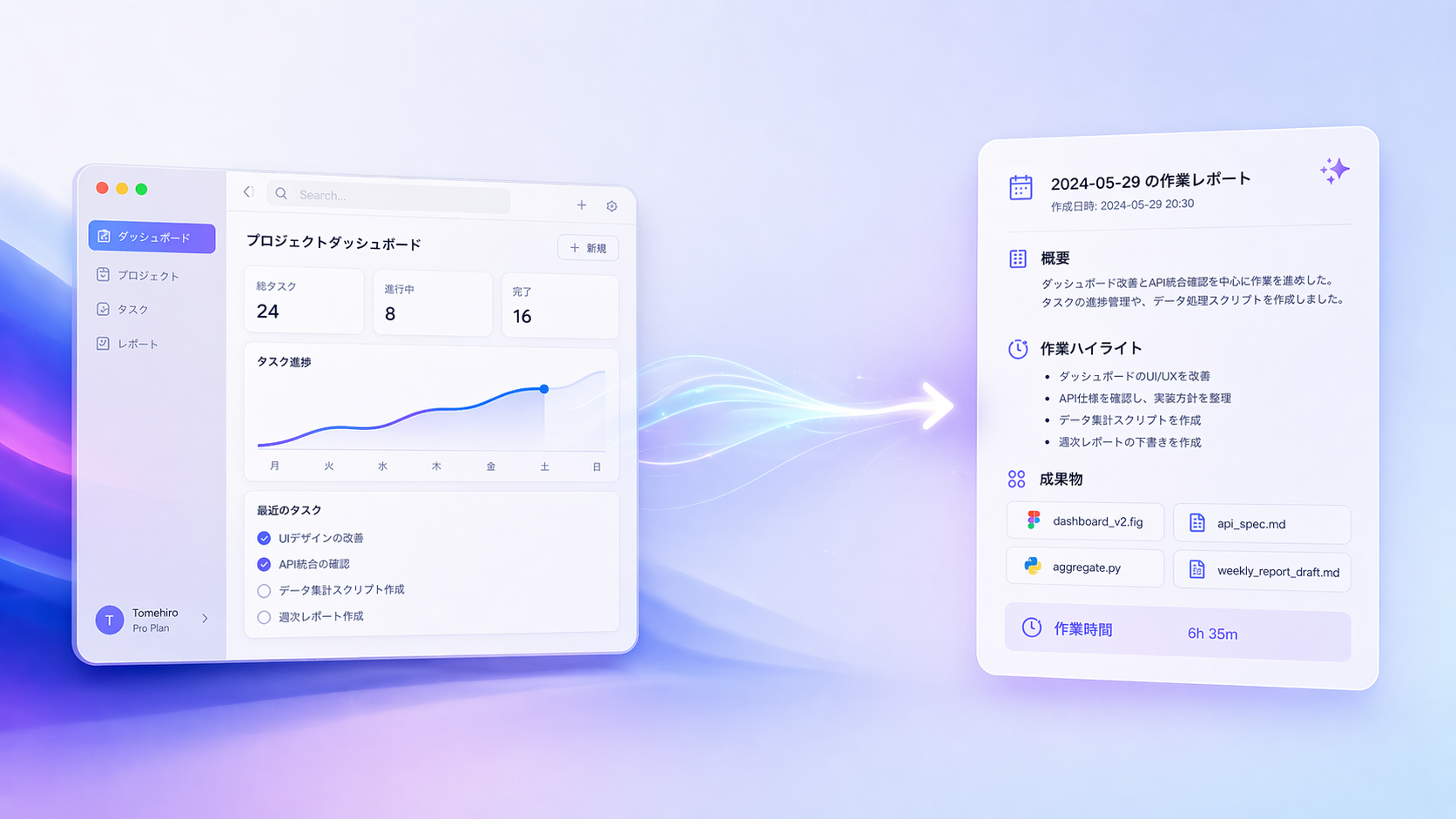
A macOS menu bar app that periodically captures the frontmost window, extracts text with Vision Framework, and stores the results locally. It can pass those logs to AI CLI tools such as claude, codex, gemini, and opencode to generate Markdown daily reports automatically. All OCR runs on-device, so your work content is not sent anywhere during capture.
v1.0.1 · 2026/8/18
What's new · v1.0.1 · 2026/8/18
Fix selection capture not working in apps without an accessibility tree, such as VS Code
View all releases →Capture it. Read it. Turn it into a report.
From screen capture to AI-generated daily reports, it records your day automatically.
Scheduled and manual capture
Automatically captures the frontmost window on a schedule, with a 60-second default and a 10 to 600 second range. Instant manual logging with comments and rectangle capture are also supported.
Vision OCR text extraction
Uses Apple Vision Framework for on-device text extraction, keeping work content private without sending it to external servers.
Automatic browser URL capture
Fetches the active tab URL from Safari, Chrome, Edge, Brave, Arc, and Vivaldi through AppleScript and attaches it to each capture.
AI report generation
Calls AI CLI tools such as claude, codex, gemini, and opencode to build Markdown daily reports from accumulated work logs, with customizable prompt templates.
Time slots
Supports multiple report windows per day, scheduled generation at fixed times, and overnight ranges so daily reporting can be fully automated.
Viewer window
Lets you search, filter, and inspect stored records by app, text, and date range so past work is easy to review.
Privacy exclusions
Skips captures based on app name, window title, or text content to avoid saving password managers or windows that contain sensitive information.
Global shortcuts
Configurable system-wide shortcuts for log now, capture selection, and open viewer, so you can record from any app instantly.