

Suno Create Assistant
A faster, smarter workflow for Suno music creation
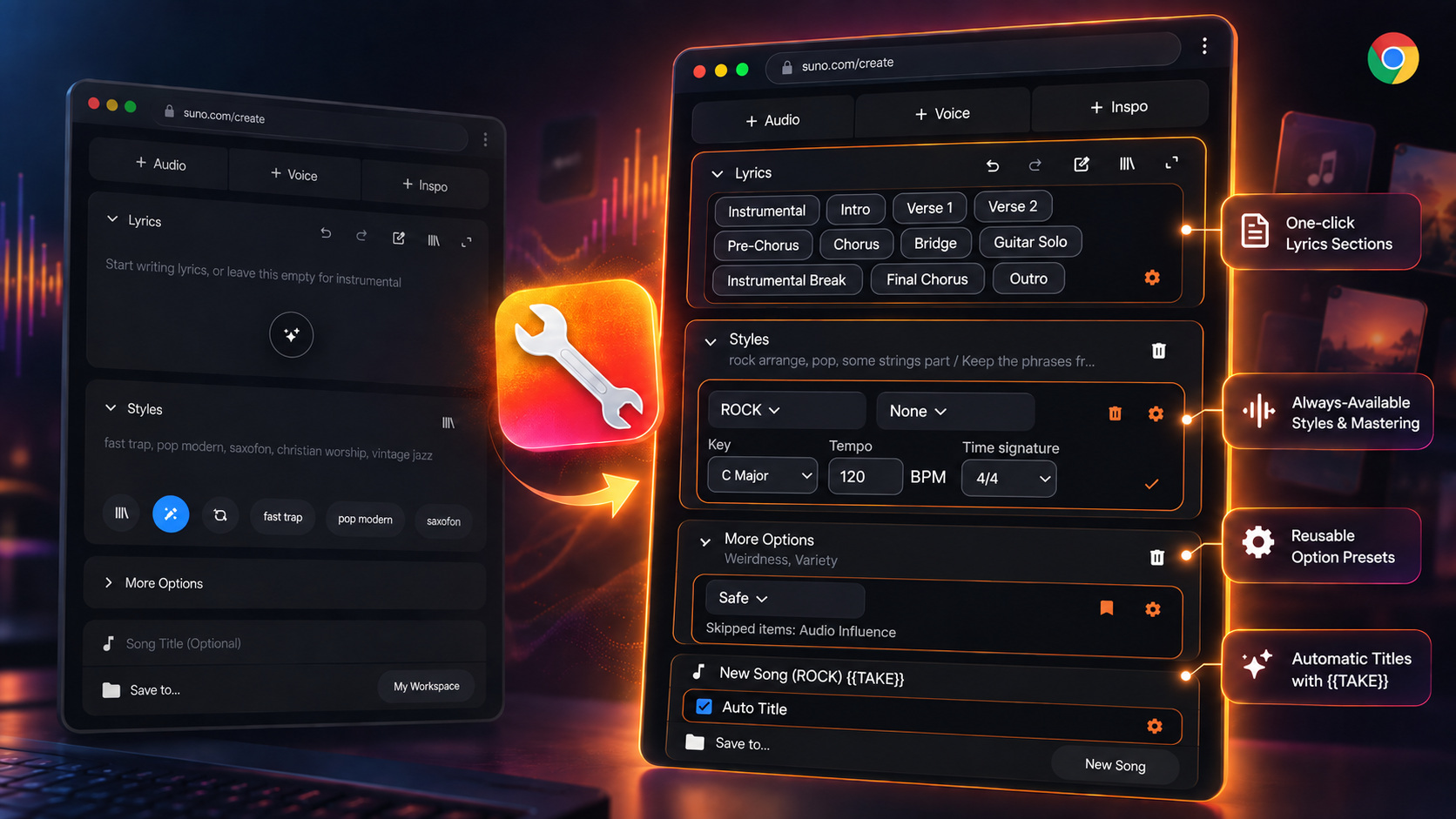
A local Chrome extension designed specifically for the Advanced tab of Suno Create (Suno.com). It accelerates your creative flow with a one-click lyrics tag palette, always-accessible style and mastering prompts, reusable presets for advanced options, and automatic song titles with automatic take numbering ({{TAKE}}).
v0.9.4 · 2026/9/26
What's new · v0.9.4 · 2026/9/26
- Fix duplicate song creation when clicking Create
- Keep the song detail pane closed when reusing parameters
Iterate faster with effortless controls.
From tag palettes and style presets to take tracking — upgrade your Suno workflow.
Lyrics tag palette
Places clean tag buttons right under the Lyrics heading to insert section tags like [Verse 1] and [Chorus] with a single click. Customize, reorder, add, or delete tags anytime in settings.
Styles and mastering
Select saved Suno styles and personal mastering prompts from permanent dropdowns that stay visible whether disclosures are open or closed. Edit and manage mastering prompts in-page.
Advanced-option presets
Save and apply custom combinations of excluded styles, vocal gender, duration, Max mode, weirdness, and style influence. Capture live settings even while More Options is collapsed.
Automatic titles & take numbers
Generate song titles automatically with customizable templates like {{WORKSPACE}} ({{STYLE}}) {{TAKE}}. Automatically increments and tracks take numbers upon clicking Create or pressing the shortcut.
Creation shortcut & compact UI
Press Cmd+Enter (macOS) or Ctrl+Enter (Windows/Linux) to trigger generation instantly.
Bilingual support & clean layout
Automatically detects Suno's language (English/Japanese) and switches UI accordingly. Optionally collapses bulky disclosure panels by default and adds an Extension Settings menu to the sidebar.